
Beginner’s Guide to AI Automation for Developers
Beginner’s Guide to AI Automation for Developers
Artificial Intelligence is no longer limited to research labs or massive tech companies. In 2026, AI automation has become one of the most valuable skills for developers, startups, freelancers, and software teams. From generating code to automating workflows, analyzing data, and building intelligent agents, AI is transforming how developers create software.
For beginners, AI automation may sound complex or expensive. But the reality is different. Today, developers can build powerful AI-driven systems using simple APIs, Python libraries, cloud tools, and no-code integrations.
This guide explains everything developers need to know to get started with AI automation, including tools, workflows, use cases, technologies, and practical implementation ideas.
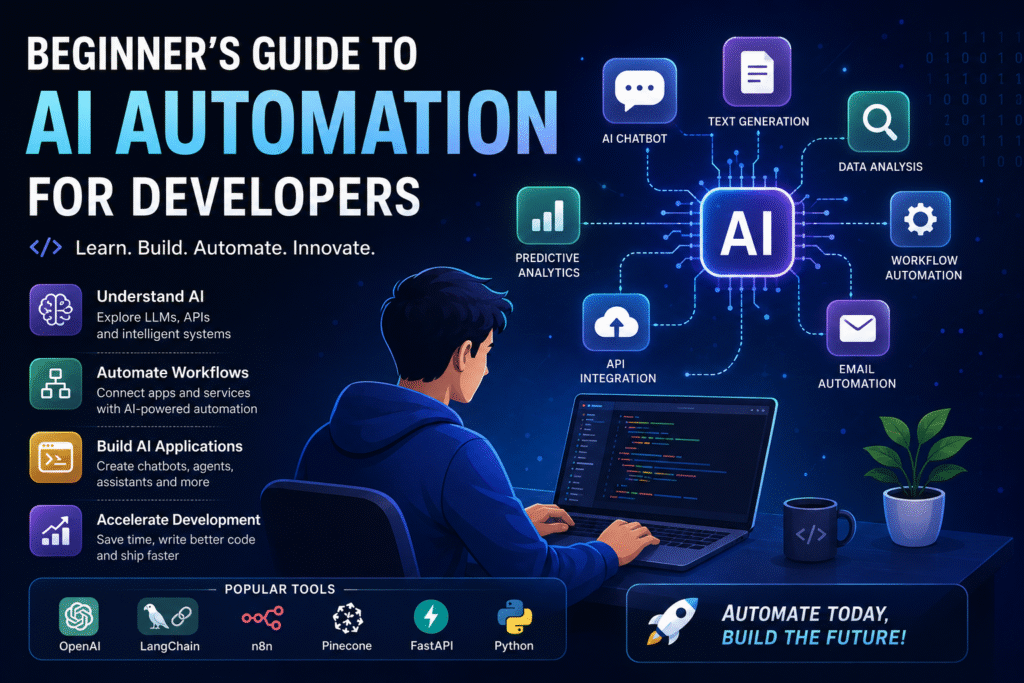
What Is AI Automation?
AI automation combines:
- Artificial Intelligence (AI)
- Machine Learning (ML)
- Automation Workflows
- APIs and Integrations
The goal is to reduce manual work by allowing software systems to perform tasks automatically with intelligent decision-making.
Traditional automation follows fixed rules:
text
IF user signs up → send welcome email
AI automation adds intelligence:
text
IF user signs up → AI analyzes user interests → personalize onboarding → send custom recommendations
Instead of static workflows, AI-powered systems can:
- Understand language
- Generate content
- Make predictions
- Analyze images
- Summarize information
- Write code
- Respond like humans
Why AI Automation Matters for Developers
AI automation is becoming a core skill because it helps developers:
- Save Development Time
AI tools can generate:
- Boilerplate code
- API integrations
- SQL queries
- Documentation
- Unit tests
This significantly speeds up software development.
- Build Smarter Applications
Modern apps now include:
- AI chatbots
- Recommendation systems
- AI search
- Voice assistants
- Image generation
- Predictive analytics
Users increasingly expect AI features in applications.
- Create New Revenue Opportunities
Developers can monetize AI automation through:
- SaaS products
- AI agents
- Automation services
- Developer tools
- AI plugins
- Subscription-based apps
AI-powered software businesses are growing rapidly.
Core Components of AI Automation
To understand AI automation, developers should learn these foundational components.
1. Large Language Models (LLMs)
LLMs are AI models trained on massive datasets.
Popular examples include:
- GPT models
- Claude
- Gemini
- Llama
- Mistral
These models can:
- Generate text
- Write code
- Summarize content
- Answer questions
- Translate languages
Developers typically interact with LLMs using APIs.
Example workflow:
python
User Input → API Request → AI Response
2. APIs
Most AI systems are accessed through APIs.
Developers send requests like:
json
{
“prompt”: “Generate Python code for a REST API”
}
And receive AI-generated responses.
Common API use cases:
- Chatbots
- AI assistants
- Code generation
- Image analysis
- Audio transcription
3. Automation Workflows
Automation workflows connect different systems together.
Example:
text
User uploads PDF
↓
AI extracts text
↓
AI summarizes document
↓
Summary emailed automatically
Popular workflow tools:
- Zapier
- Make
- n8n
- Pipedream
- LangChain
- CrewAI
4. Vector Databases
AI applications often use vector databases to store embeddings.
Embeddings help AI systems:
- Search documents
- Retrieve information
- Build memory systems
- Power semantic search
Popular vector databases:
- Pinecone
- Weaviate
- ChromaDB
- FAISS
5. AI Agents
AI agents are autonomous systems that can:
- Think
- Plan
- Execute tasks
- Use tools
- Interact with APIs
Example:
text
User: Find trending AI startups and summarize them
The AI agent may:
- Search the web
- Extract data
- Summarize findings
- Create a report
- Email results
AI agents are becoming a major trend in modern software development.
Best Programming Languages for AI Automation
Python
Python is the most popular language for AI automation.
Why?
- Simple syntax
- Massive AI ecosystem
- Great libraries
- Strong community support
Popular Python libraries:
- OpenAI SDK
- LangChain
- CrewAI
- Transformers
- TensorFlow
- PyTorch
- Pandas JavaScript / TypeScript
Excellent for:
- Web apps
- Browser-based AI tools
- Full-stack AI applications
Popular frameworks:
- Next.js
- Node.js
- Vercel AI SDK Swift
Growing rapidly for:
- AI-powered iOS apps
- On-device AI
- AI assistants
- Productivity apps
Beginner-Friendly AI Automation Projects
The best way to learn is by building projects.
Here are some excellent beginner ideas.
1. AI Chatbot
Build a chatbot that can:
- Answer FAQs
- Provide customer support
- Generate content
- Help users navigate apps
Tech stack:
- Python
- Flask/FastAPI
- OpenAI API
2. AI Blog Generator
Create a system that:
- Generates blog topics
- Writes articles
- Creates SEO metadata
- Publishes automatically
Useful for content automation businesses.
3. AI Email Assistant
Features:
- Auto-reply suggestions
- Email summarization
- Spam detection
- Smart categorization
4. AI Resume Analyzer
Upload a resume and let AI:
- Analyze skills
- Suggest improvements
- Match jobs
- Generate cover letters
5. AI Coding Assistant
A mini developer assistant that:
- Explains code
- Generates functions
- Fixes bugs
- Writes documentation
Understanding Prompt Engineering
Prompt engineering is the process of writing effective instructions for AI models.
Good prompts produce better results.
Example:
Instead of:
text
Write code
Use:
text
Generate a production-ready Python FastAPI authentication system with JWT support and PostgreSQL integration
Better prompts lead to:
- Higher accuracy
- Better structure
- More useful outputs
AI Automation Workflow Example
Here’s a simple AI automation pipeline developers can build.
Scenario: Automated Customer Support
Step 1 — User Sends Message
text
“How do I reset my password?”
Step 2 — AI Classifies Intent
AI determines:
text
Intent = Password Reset
Step 3 — AI Generates Response
text
“Go to Settings > Security > Reset Password”
Step 4 — Ticket Created Automatically
If unresolved:
- Create support ticket
- Notify admin
- Save conversation
This reduces manual customer support workload significantly.
Popular AI Automation Frameworks
LangChain
Widely used for:
- AI agents
- Memory systems
- Tool usage
- Multi-step workflows
Useful for advanced AI applications.
CrewAI
Designed for multi-agent systems.
Example agents:
- Research Agent
- Writer Agent
- QA Agent
They collaborate to complete tasks.
AutoGen
Allows multiple AI agents to communicate and solve problems together.
Haystack
Excellent for:
- Search systems
- Document Q&A
- Retrieval-Augmented Generation (RAG)
What Is RAG (Retrieval-Augmented Generation)?
RAG combines:
- AI models
- External knowledge sources
Instead of relying only on training data, AI retrieves fresh information from documents or databases.
Example:
text
User asks question
↓
System searches company documents
↓
Relevant data retrieved
↓
AI generates accurate answer
RAG is widely used in:
- Enterprise chatbots
- AI knowledge bases
- Internal search tools
Challenges Beginners Face
- API Costs
AI APIs can become expensive.
Solutions:
- Use smaller models
- Cache responses
- Optimize prompts
- Use open-source models
- Hallucinations
AI sometimes generates incorrect information.
Solutions:
- Validate outputs
- Use RAG systems
- Add human review
- Use structured prompts
- Security Risks
Never expose:
- API keys
- Sensitive data
- Private documents
Best practices:
- Use environment variables
- Encrypt data
- Add authentication
Future of AI Automation
AI automation is evolving rapidly.
Major trends include:
AI Agents Everywhere
Future apps may include autonomous agents that:
- Manage tasks
- Handle scheduling
- Write reports
- Automate operations AI-Powered SaaS Platforms
More startups are building:
- AI copilots
- AI assistants
- AI workflow tools
- AI productivity software On-Device AI
AI is increasingly running directly on smartphones and computers.
Benefits:
- Faster performance
- Better privacy
- Offline functionality
Best Tools for Beginners
Here are beginner-friendly AI tools developers should explore.
| Category | Tools |
| – | – |
| AI APIs | OpenAI, Anthropic, Gemini |
| Workflow Automation | Zapier, n8n, Make |
| AI Frameworks | LangChain, CrewAI |
| Databases | Pinecone, ChromaDB |
| Backend Frameworks | FastAPI, Flask |
| Frontend Frameworks | React, Next.js |
| Hosting | Vercel, Render, Railway |
Recommended Learning Path
Month 1
Learn:
- Python basics
- APIs
- JSON
- HTTP requests
Build:
- Simple chatbot Month 2
Learn:
- LLM APIs
- Prompt engineering
- AI workflows
Build:
- AI content generator Month 3
Learn:
- AI agents
- Vector databases
- RAG systems
Build:
- AI research assistant
Tips for Developers Starting AI Automation
Start Small
Do not try building advanced AI agents immediately.
Begin with:
- Single API calls
- Simple workflows
- Basic automation Focus on Real Problems
The best AI products solve practical issues.
Examples:
- Automating repetitive work
- Reducing manual data entry
- Improving customer support
- Accelerating development Learn by Building
Tutorials help, but projects teach faster.
Create:
- Mini SaaS apps
- AI tools
- Browser extensions
- Mobile AI apps
Conclusion
AI automation is reshaping software development faster than most technology shifts in recent history. Developers who learn AI workflows, APIs, automation systems, and intelligent agents today will have a major advantage in the future tech industry.
The good news is that getting started no longer requires massive infrastructure, machine learning expertise, or expensive hardware. With modern APIs, open-source frameworks, and cloud platforms, even beginners can build powerful AI applications in weeks instead of years.
Whether you want to create AI SaaS products, automate workflows, build developer tools, or launch intelligent mobile apps, AI automation opens enormous opportunities for innovation and revenue generation.
The best time to start learning AI automation is now.